LLaMA部署文档
本文最后更新于:2024年5月16日 晚上
参考:LLaMA-Factory/README_zh.md at main · hiyouga/LLaMA-Factory (github.com)
参考:从LLaMA-Factory项目认识微调 - H.U.C-王子 - 博客园 (cnblogs.com)
参考:开源模型应用落地-LangChain试炼-CPU调用QWen1.5(一)-CSDN博客
概述
模型微调方法
全模型微调 (Full Model Fine-Tuning)
这种方法涉及对预训练模型中的所有参数进行微调。这通常可以实现最好的性能,但需要大量计算资源和较大的数据集。适用于在目标任务中有丰富数据的情况
冻结层 (Layer Freezing)
冻结预训练模型的大部分层,仅微调特定的几层(通常是顶部几层)。这种方法可以显著减少计算成本,适用于数据量较少的情况。
Low-Rank Adaptation (LoRA)
LoRA是一种参数高效的微调方法,旨在减少在微调大规模预训练模型时所需的计算资源和存储需求。LoRA 通过对预训练模型中的特定参数进行低秩分解,并仅微调这些分解后的低秩参数,而不是对模型的全部参数进行调整。
环境准备
系统环境
- Ubuntu Server 22.04 LTS
- RAM 256GB
- VRAM 80GB
运行环境
- conda(不是必须)
- python 3.10
- torch+cuda
部署过程
在你的conda环境中
1 | |
1 | |
1 | |
1 | |
部署frcp
- Download this file: https://cdn-media.huggingface.co/frpc-gradio-0.2/frpc_linux_amd64
- Rename the downloaded file to: frpc_linux_amd64_v0.2
- Move the file to this location: PATH_TO_Python/site-packages/gradio
模型运行
运行可视化界面
可视化界面只支持调试单GPU
1 | |
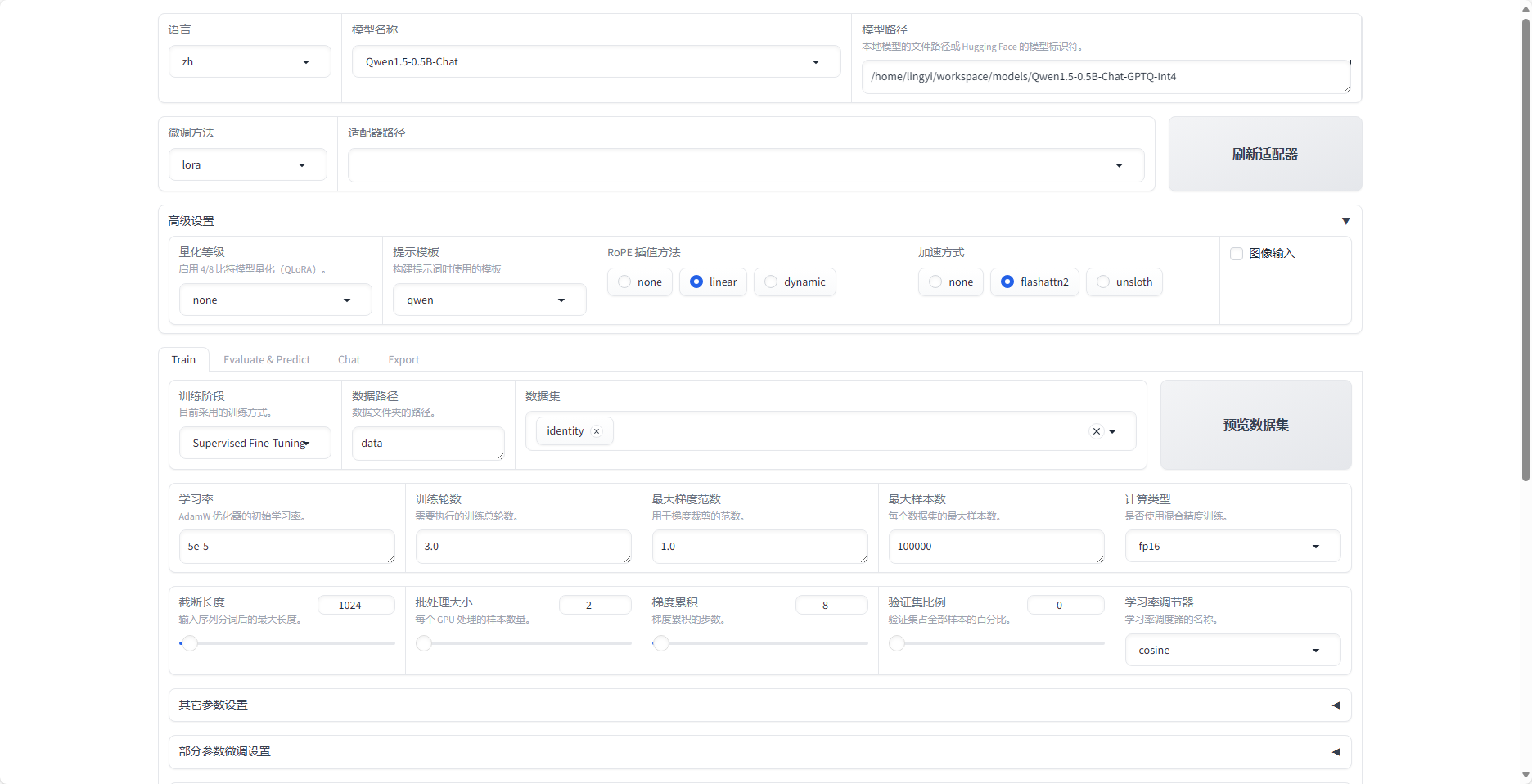
设置
以通义千问qwen/Qwen1.5-0.5B为例
- 选择模型名称 qwen/Qwen1.5-0.5B
- 选择模型路径
- 下载qwen/Qwen1.5-0.5B到本地(modelscope社区)
- git clone https://www.modelscope.cn/qwen/Qwen1.5-0.5B.git
- 设置微调方法
- 设置数据集
- 预览命令
- 开始训练
使用
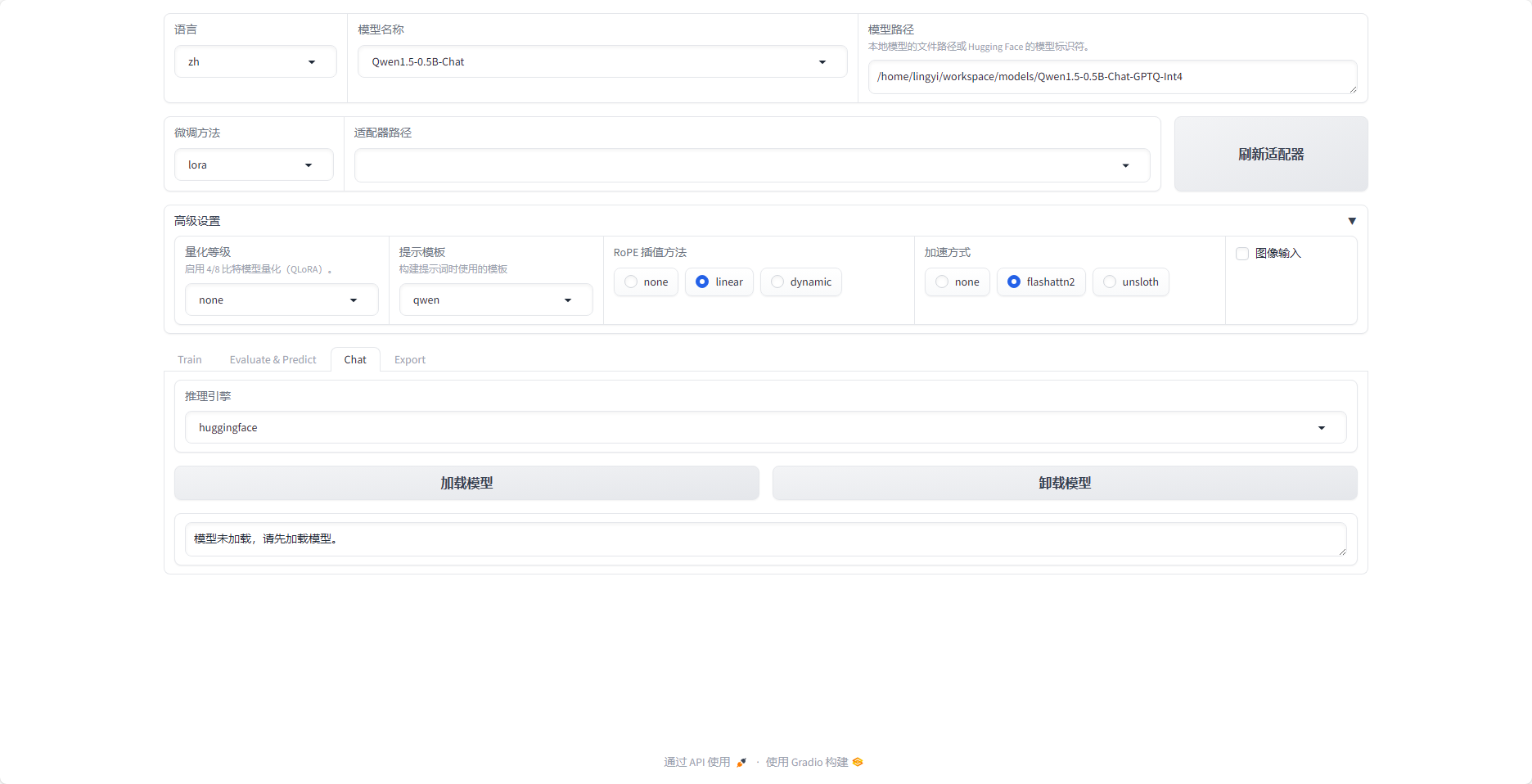
- 模型训练好后,在适配器路径中选择
- 加载模型
- 在Chat对话框中提问
多GPU训练
- 参考脚本:LLaMA-Factory/examples at main · hiyouga/LLaMA-Factory (github.com)
- 对应的yaml文件中设置模型具体的参数
yaml文件解析
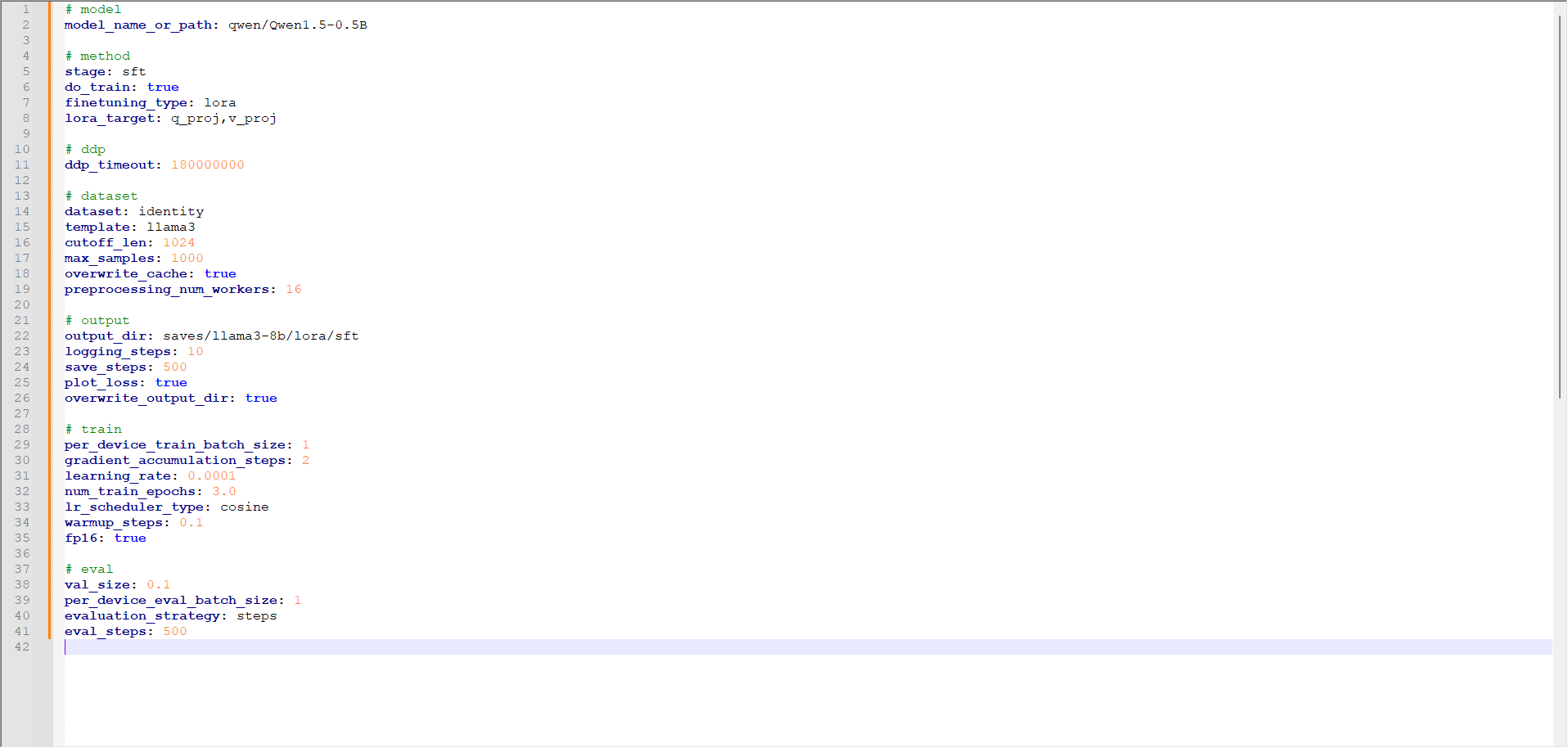
Model Configuration
model_name_or_path
1
meta-llama/Meta-Llama-3-8B-Instruct- 指定了使用的基础模型,即Meta-Llama-3-8B-Instruct。
Training Method
stage:
1
sft- 表示进行微调(Supervised Fine-Tuning)。
do_train:
1
true- 表示进行训练。
finetuning_type:
1
lora- 指定了使用LoRA方法进行微调。
lora_target:
1
q_proj,v_proj- 指定了要微调的模型层,具体是q_proj和v_proj层。
Distributed Data Parallel (DDP)
ddp_timeout:
1
180000000- 设置DDP的超时时间。
Dataset Configuration
dataset:
1
identity,alpaca_gpt4_en- 指定了要使用的两个数据集,分别是
identity和alpaca_gpt4_en。
- 指定了要使用的两个数据集,分别是
template:
1
llama3- 使用的模板,
llama3。
- 使用的模板,
cutoff_len:
1
1024- 设置输入序列的最大长度为1024。
max_samples:
1
1000- 使用的最大样本数量为1000。
overwrite_cache:
1
true- 表示覆盖缓存。
preprocessing_num_workers:
1
16- 指定了预处理数据时使用的工作线程数量为16。
Output Configuration
output_dir:
1
saves/llama3-8b/lora/sft- 指定了训练输出的目录。
logging_steps:
1
10- 每10步记录一次日志。
save_steps:
1
500- 每500步保存一次模型。
plot_loss:
1
true- 表示绘制损失图。
overwrite_output_dir:
1
true- 表示覆盖输出目录。
Training Configuration
per_device_train_batch_size:
1
1- 每个设备的训练批次大小为1。
gradient_accumulation_steps:
1
2- 梯度累积的步数为2,即每2步更新一次梯度。
learning_rate:
1
0.0001- 学习率设置为0.0001。
num_train_epochs:
1
3.0- 训练的轮数为3轮。
lr_scheduler_type:
1
cosine- 学习率调度器类型为余弦调度。
warmup_steps:
1
0.1- 预热步数为总训练步数的10%。
fp16:
1
true- 使用16位浮点数进行训练。
Evaluation Configuration
val_size:
1
0.1- 验证集的大小为总数据集的10%。
per_device_eval_batch_size:
1
1- 每个设备的验证批次大小为1。
evaluation_strategy:
1
steps- 使用逐步评估策略。
eval_steps:
1
500- 每500步进行一次评估。